


How To Create 3D Social Media Image?
Such a photo is trending a lot on all these short video platforms like Instagram reels Tiktok YouTube short, so you are requested to make a photo like this and upload it on any short video platform, maybe your video can go viral overnight. It is done and it is very easy to edit such a photo, you can edit such a photo in just one click, so let us now learn its editing.
How To Make This Photo?
•First of all you have to click on the link given below
Website
•First of all you have to login, we are already logged in.
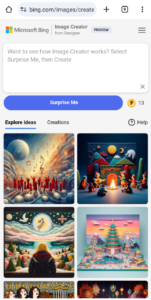
How To Make This Photo?
•First of all you have to click on the link given below
Website
•First of all you have to login, we are already logged in.
How To Make This Photo?
•First of all you have to click on the link given below
Website
•First of all you have to login, we are already logged in.
Prompt
- Create a 3D illustration of an animated character sitting casually on top of the social media logo __________ The character should wear casual modern clothes like jeans jacket and sneakers shoes. The background of the image is a social media profile page with the username _________ and a profile picture that matches
- Create a 3D illustration featuring a realistic 18 year-old beautiful young boy busy to writing a coding on a chair in front of a 3d logo of _______.’ The character should have green and white pant coat tie ,with Sneakers shoes, with glasses,The background of the image should showcase a social media profile page and the username “________’ and a matching profile picture and modify it
- realistic photo of a 18 years old boy sitting on a logo chair of a social media logo “Instagram”. wearing Top model clothes. The background is mockup of his social media profile page with a profile name “Pankaj” and a profile picture . soft light reflectio.
•After that, you will have to write the prompt of the type of photo you want to edit. The type we have written will be visible to you on the screen or will be given below, from there you can copy and paste it and click on the Create button.
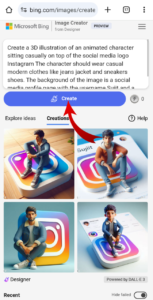
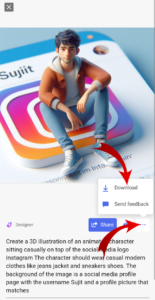
•After that, click on the photo you like, click on the three dot line and click on the download button.
About Me>>>
Hello Friends! My name is Pankaj Kumar and I am doing editing from last 3 years after lot of research. I have brought this article just for you. I hope after reading this article your problem will be completely resolved. You can also subscribe to our youtube channel. On that too a video editing video is uploaded daily. Channel Name (Yt TechPankaj)
Conclusion…
Hello friend, if you all liked this article, then you will definitely comment in the comment box. If you face any problem in it, you can also ask by commenting in the comment box. We will try our best to reply.
-min.png)